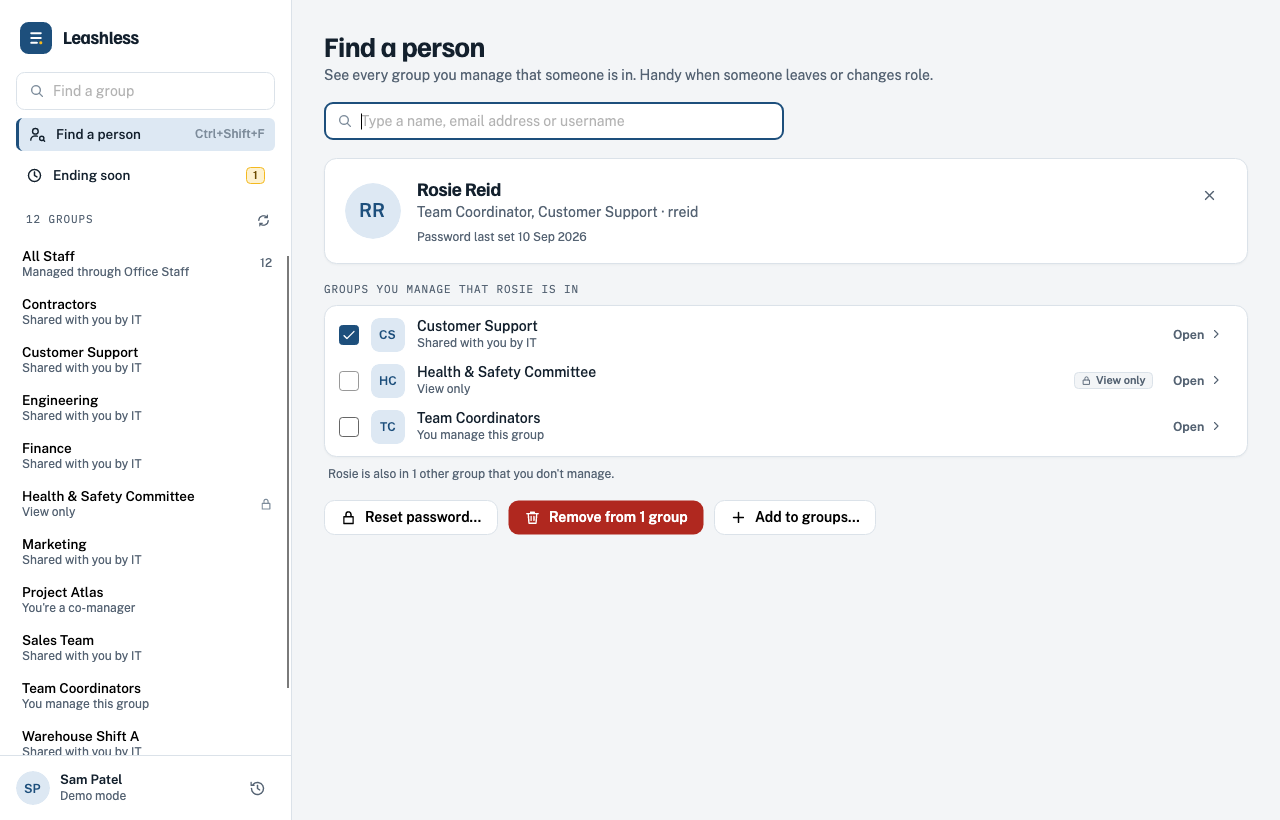
Find a person
Look someone up and see every group you manage that they're in. When someone leaves or changes role, take them out of all of them at once.
Self-service Active Directory groups
Leashless lets managers, office staff and team leads add and remove people from the groups they look after. It signs in with their Windows account, shows only the groups they're allowed to change, and asks them to review every change before it's saved. IT sets the boundaries once, and nobody waits on a help desk ticket again.
Windows 10 and 11 · Installs with one MSI · No server to set up
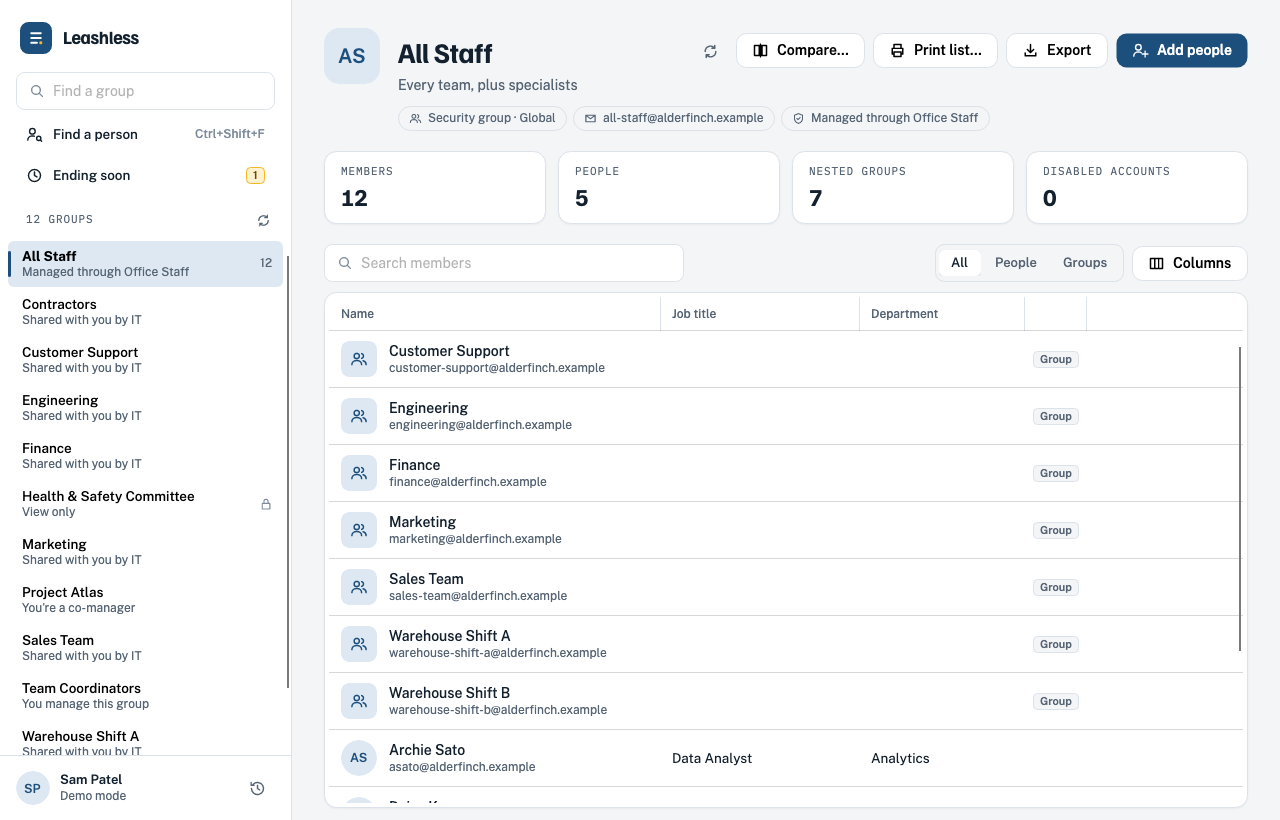
Features
Someone starts Monday. Someone moves from Sales to Marketing. A contractor needs the project mailing list for three months. Leashless turns each of these into a two-minute job for the people closest to the team, instead of a ticket in IT's queue.
Leashless uses the account people already signed in to Windows with. No separate password to remember, reset or share.
Groups appear when IT names the person as the group's manager, or gives them rights to a folder of groups. Nothing else shows up.
Type a name, an email address or a username. Leashless finds the right person even when two people share a last name.
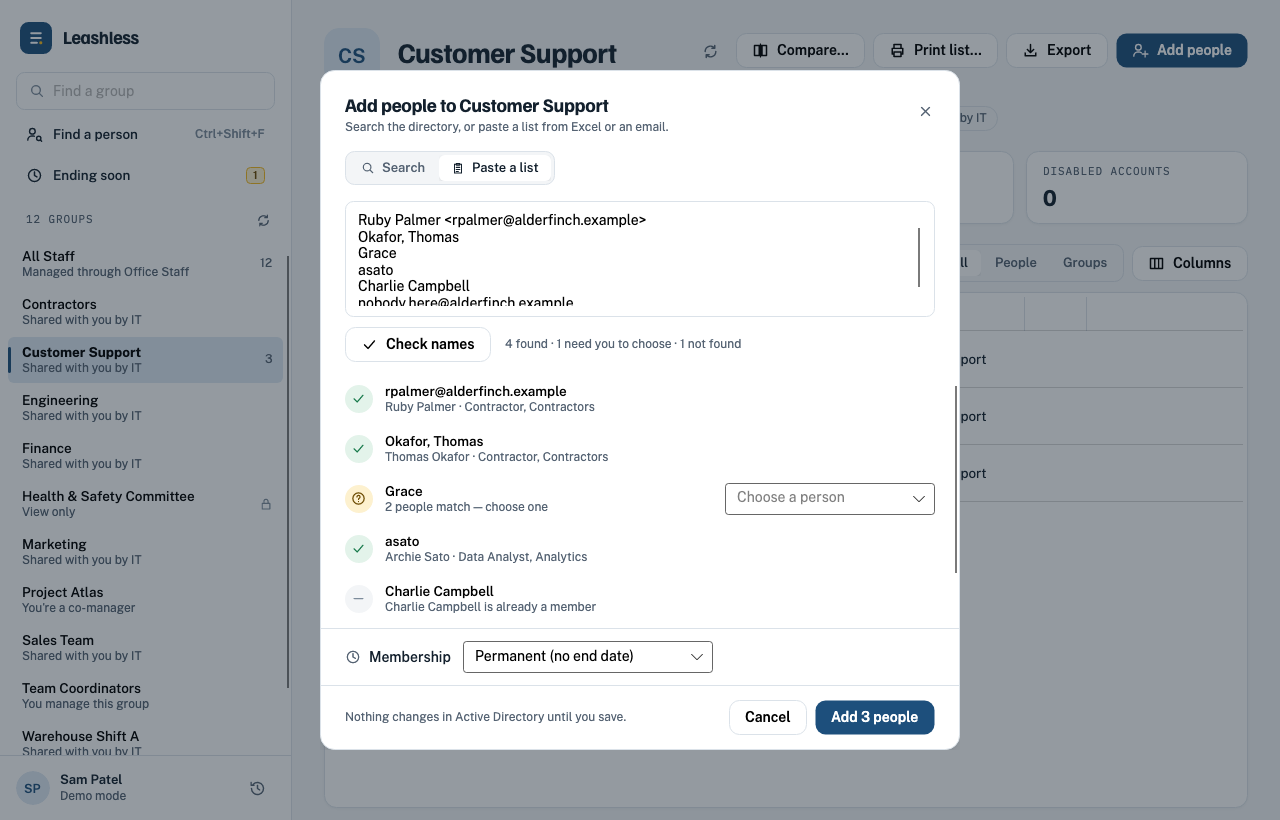
Copy a column of names or emails from a spreadsheet and paste it in. Leashless matches each line and flags anything it can't find before you add it.
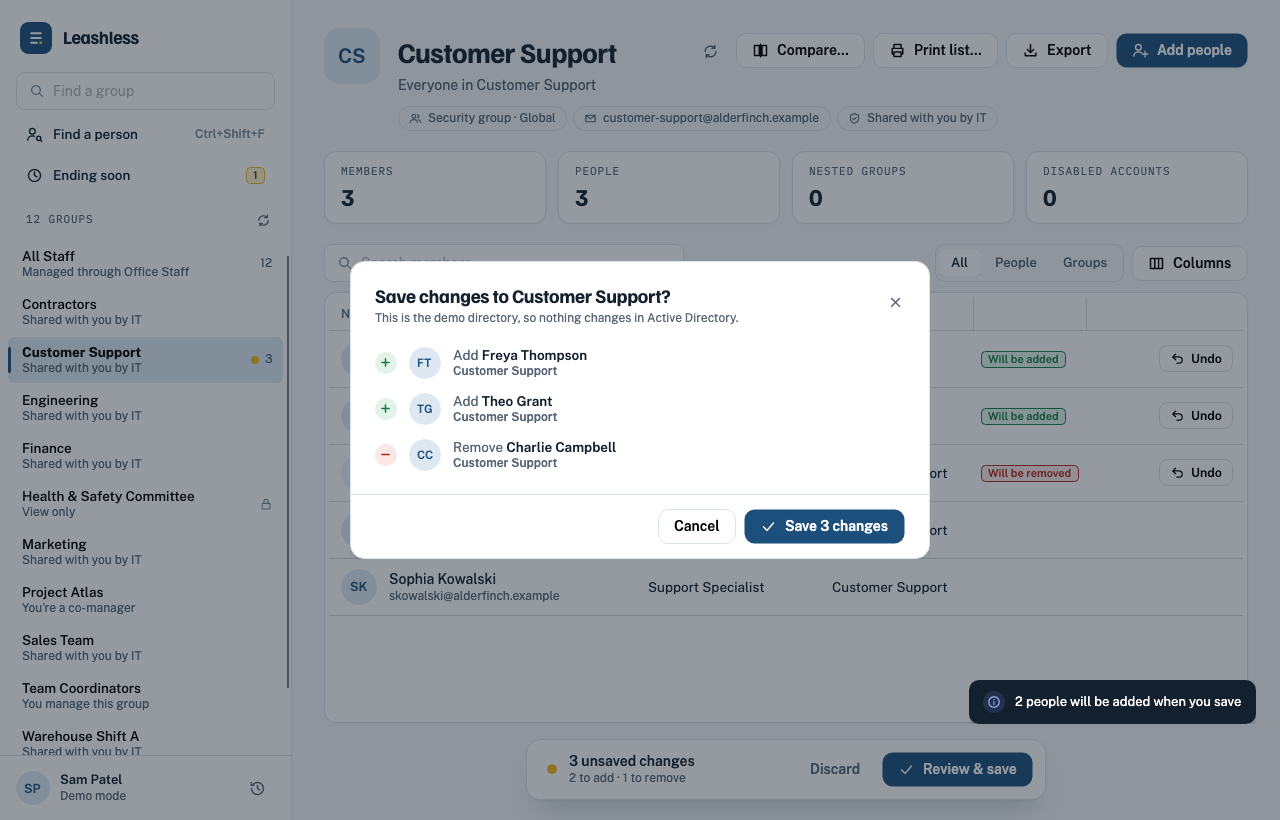
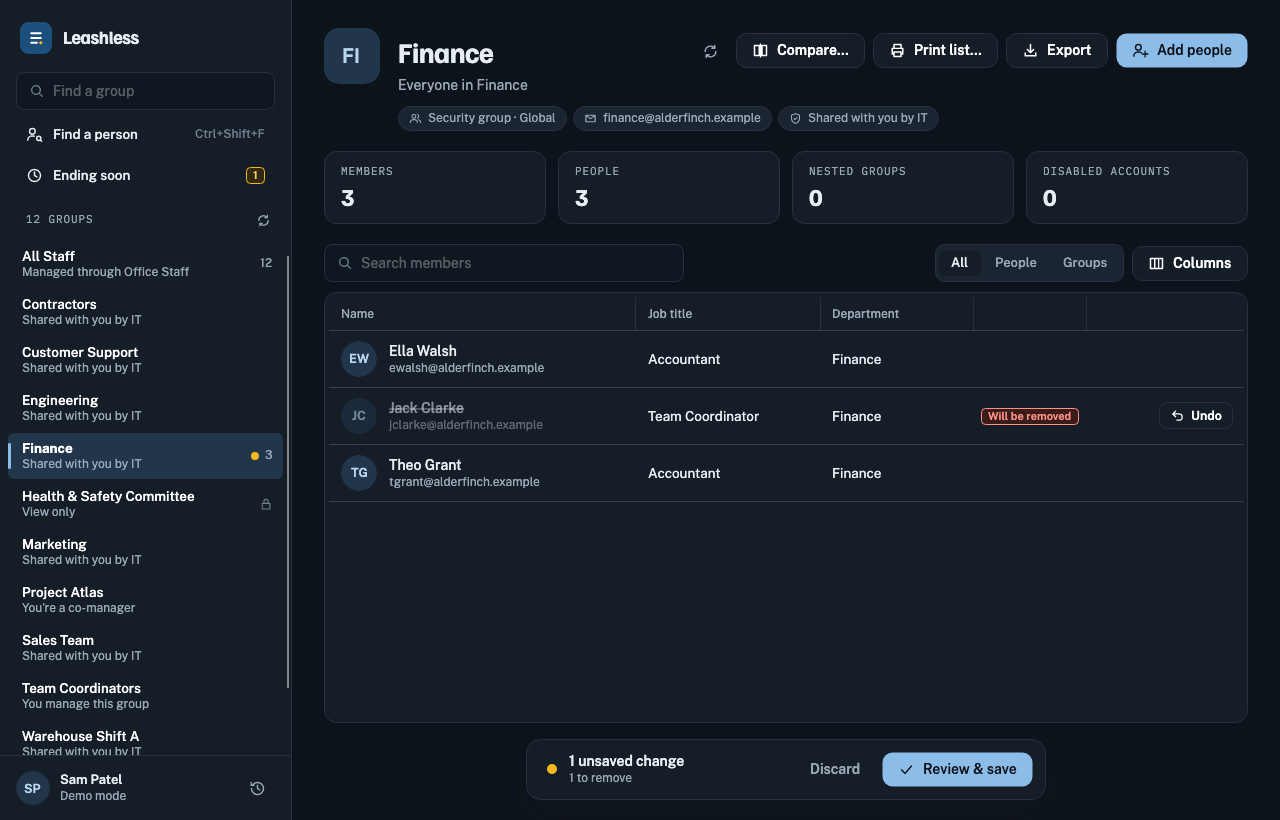
Adds and removals wait in a list of unsaved changes. Check them, undo the ones you didn't mean, then save them all at once.
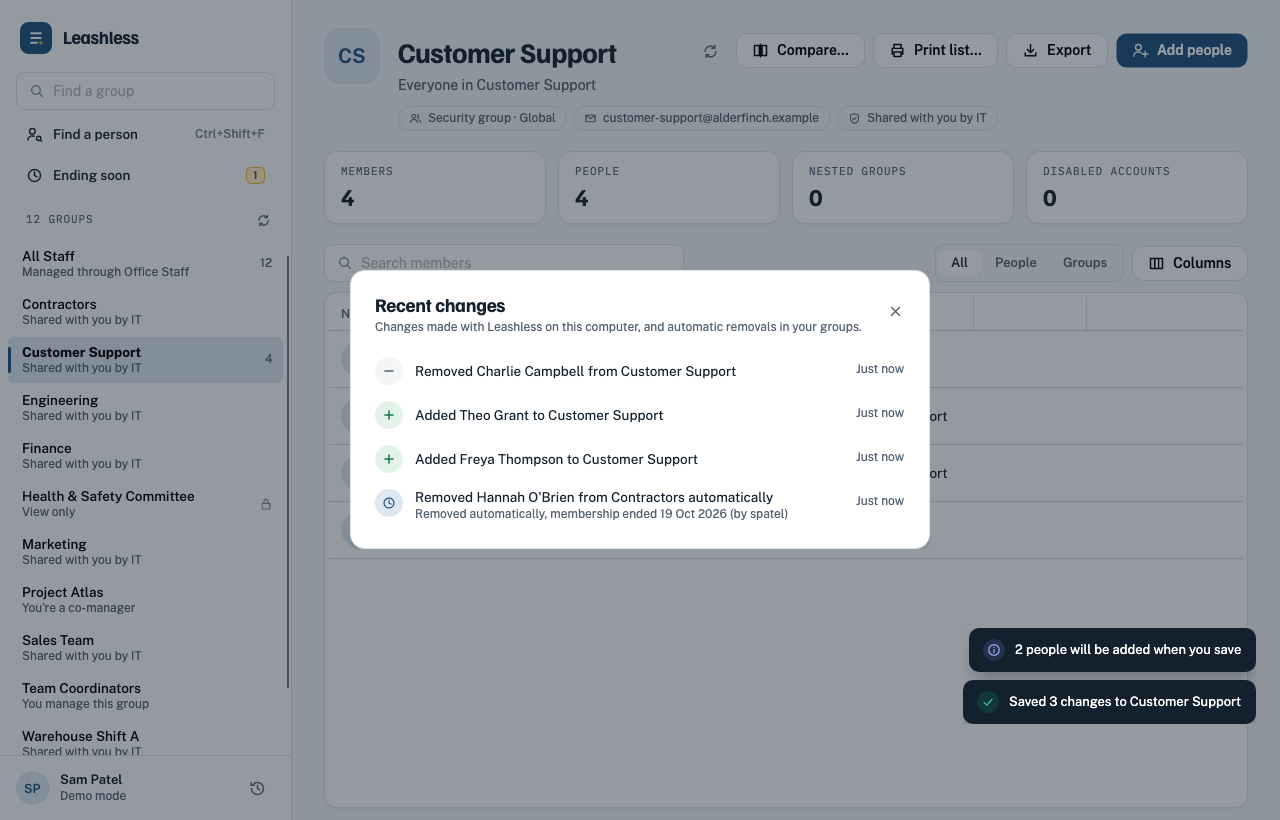
See who was added or removed and when. Export any group's members to CSV for a directory, an access review or an audit.
What's new
Four new ways to handle the jobs that used to mean a spreadsheet, a calendar reminder or a call to IT.
Look someone up and see every group you manage that they're in. When someone leaves or changes role, take them out of all of them at once.
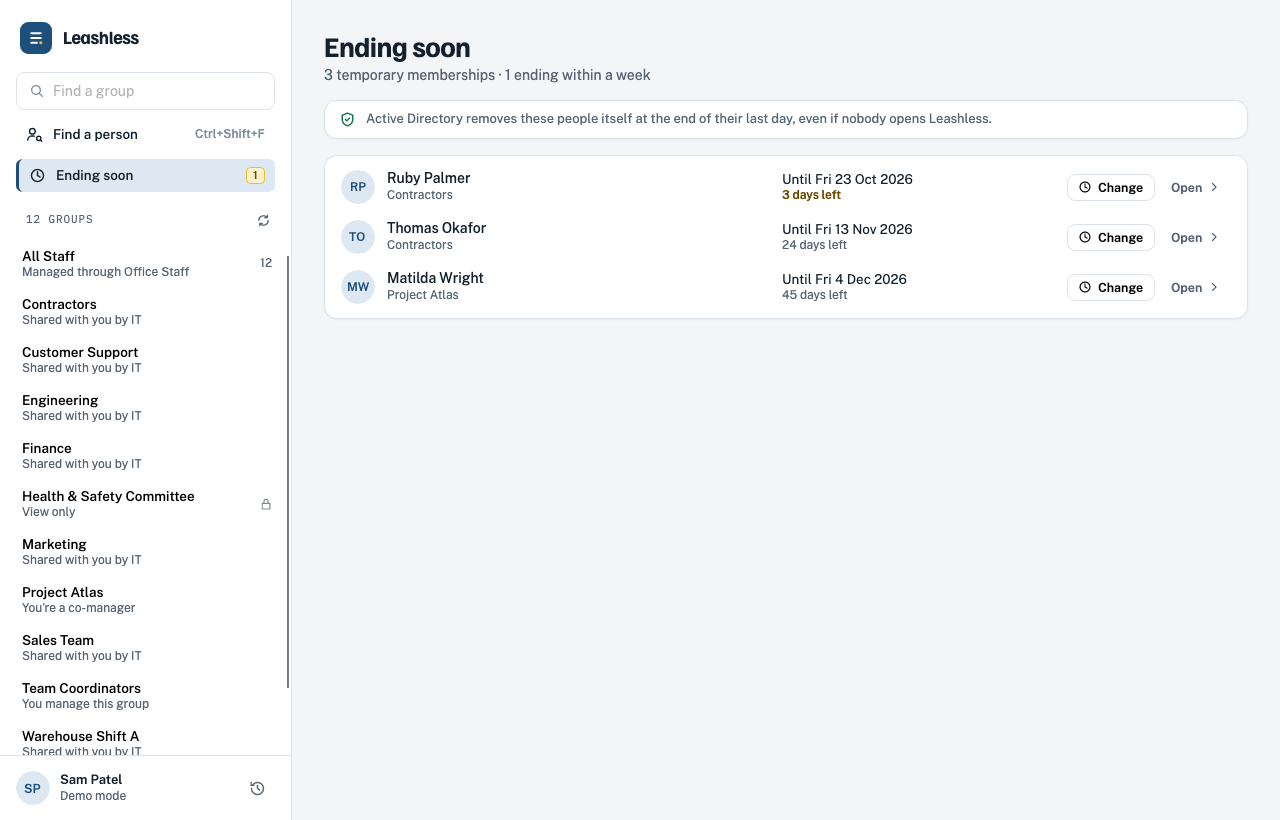
Give a contractor or temporary worker an end date when you add them. Active Directory removes them on their last day, and the Ending soon page shows who's due to leave.
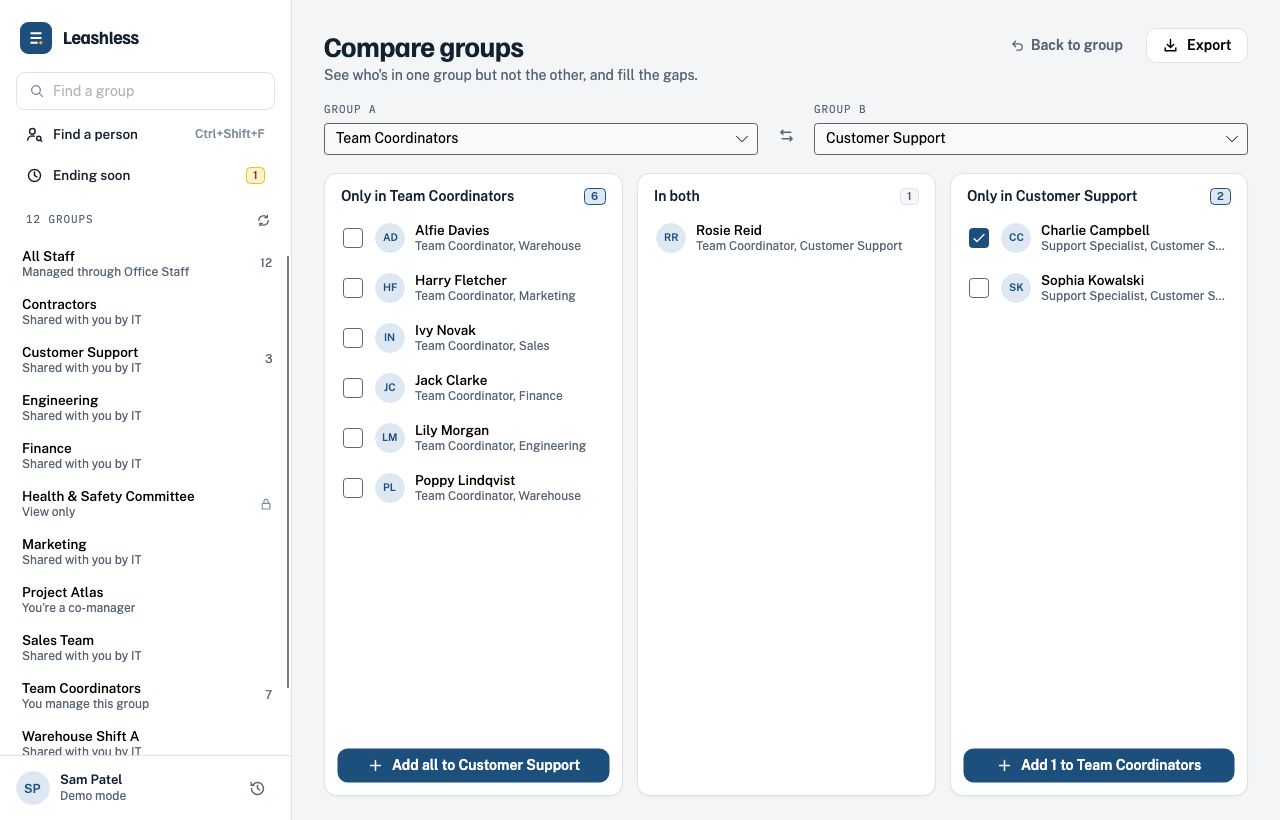
Pick two groups to see who's only in one, who's in both, and fill the gaps in a click.
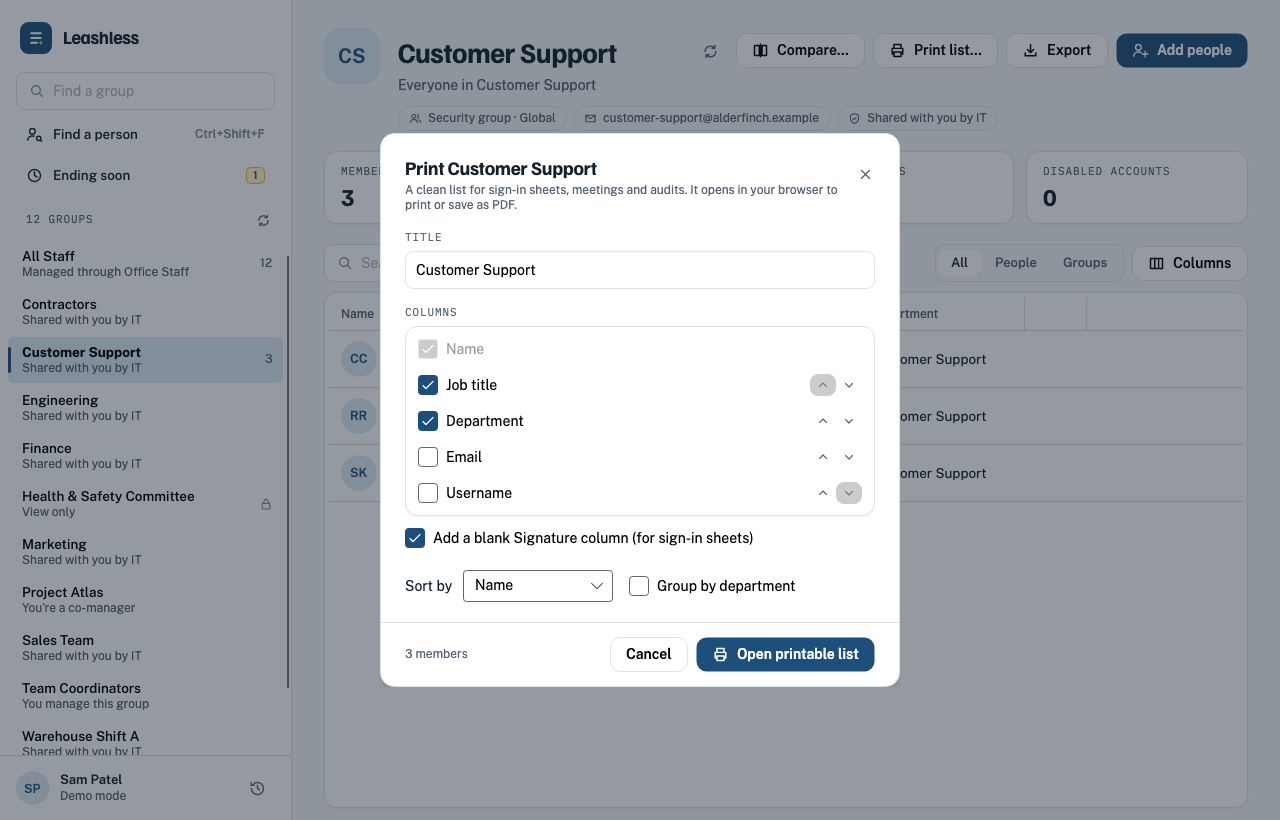
Print a clean member list for sign-in sheets, meetings or audits. Choose the columns, add a signature column, or save it as a PDF.
Who it's for
If your groups control mailing lists, shared folders, Teams channels or app access, the people who know who belongs in them can keep them current.
Office managers add new hires to department lists and shared drives on day one.
Charge nurses keep on-call and shift groups accurate as rotations change.
Front office staff move teachers between grade-level and building groups.
Department heads manage their own staff lists without waiting on central IT.
Site supervisors update shift and location groups as people come and go.
Program leads add volunteers and contractors, then remove them when the work ends.
Screenshots
Leashless is designed to look and feel like the rest of Windows 11, so there's nothing new to learn.
For IT
Leashless never asks for more access than Active Directory already gives. You decide who can change what, the same way you do today. Teams get freedom inside the limits you set.
Tick "Manager can update membership list" on a group's Managed By tab, or delegate a whole OU of groups to a security group of managers. Leashless shows exactly those groups.
One MSI with silent install, in-place upgrades and Group Policy support. Preset settings for every PC from a single file.
Leashless talks directly to your domain controllers. There's no server, database or cloud account to look after.
Sign the app and installer with your own certificate so Windows SmartScreen stays quiet.
# Silent install on every PC that needs it
msiexec /i Leashless.msi /qn

# Or assign it with Group Policy:
# Computer Configuration › Policies ›
# Software Settings › Software installation

# Let a team lead manage a group (one-time setup)
Set-ADGroup "Sales Team" `
  -ManagedBy "ALDERFINCH\spatel"
Pricing
Every license covers as many group managers and groups as you need. All plans include updates and email support.
Downloads open soon.
Online checkout opens soon.
Online checkout opens soon.
Questions
A Windows 10 or 11 PC joined to your Active Directory domain. People sign in to Windows as usual and Leashless uses that account.
No. Leashless can only do what Active Directory already allows that person to do. If IT hasn't given them rights to a group, it doesn't appear in the app. Leashless means no waiting on IT, not no rules.
Leashless works with on-premises Active Directory groups, including groups that sync up to Microsoft 365.
On your own domain controllers. Leashless doesn't send names, groups or changes anywhere else.
Yes, on the Organization plan. We'll send an invoice your business office can process.